Overview of the new Adobe for Creativity Connector plug-in for Claude. Learn how to use over 50 Photoshop, Premiere and Firefly tools right in AI chat.
AI and design in one click: how Adobe for Creativity in Claude changes the game
Creating great visual content has always taken time and skill. But what if you no longer had to open dozens of heavy programs to retouch a photo, put together a stylish banner or cut a video for Reels? Discover the revolutionary update - the integration of professional Adobe tools directly in the chat with Claude artificial intelligence. We check how this connection speeds up the work of creators and why such technology is the future.
What is Adobe for Creativity Connector?
This is the official plugin that brings the power of over 50 professional tools from the Creative Cloud suite to Anthropic's Claude interface. You no longer have to manually switch between applications such as Photoshop, Illustrator, Premiere, Express or Firefly. You simply describe your task in plain text, and the AI itself selects the appropriate tools and performs all the technical work in the right order.
What can the new integration do?
The possibilities are huge, especially if you value your time and want to automate your routine:
-
Perfect portrait retouching: Upload a photo and ask it to equalize the light, blur the background or appropriate cropping. The AI will do this based on your prompts, giving you studio-quality results.
-
Generating posts for social media: describe the idea for your campaign. Claude will download appropriate templates from Adobe Express, replace text, select colors and even add animation in a few seconds.
-
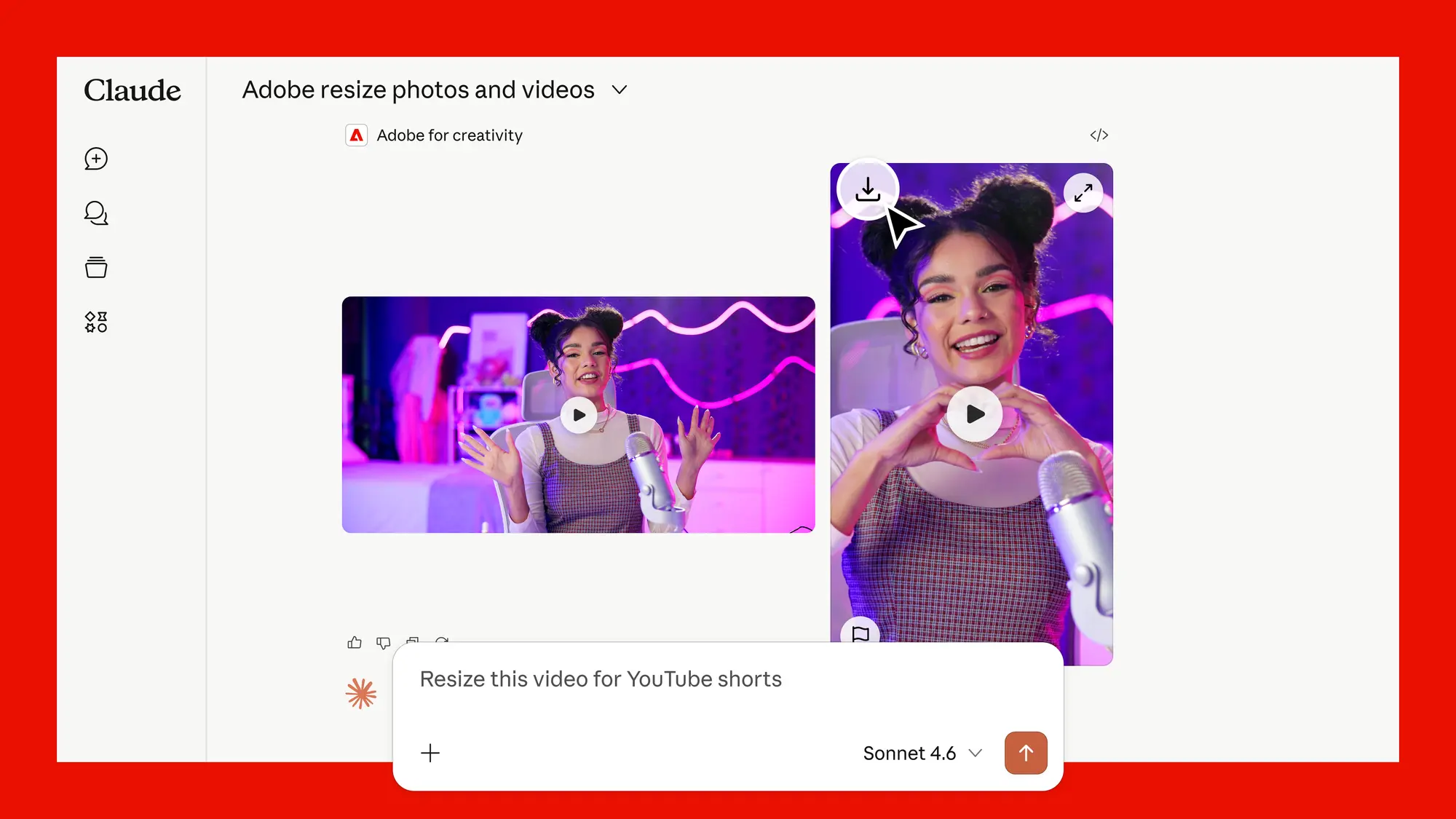
Video content adaptation: Upload a horizontal video and ask for it to be converted into the YouTube Shorts or Instagram Reels format. The algorithms themselves will crop the video to the appropriate size without losing any important meaning in the frame.
How do I start using this connection?
Running the process is very simple:
-
Log in with your Claude account.
-
Install the connector from the official link from the developers.
-
Authorize yourself with your Adobe account - this will increase your usage limits, open access to all advanced features, and allow you to save projects between sessions.
Important note: if you need deeper corrections to the generated content, you can at any time transfer the project to full-fledged Adobe applications and continue working there. The files remain fully yours.
Delegate routine to algorithms
In the world of digital technologies, speed and quality decide everything. Integration of advanced artificial intelligence into everyday work processes is no longer just a fashionable trend, but a hard necessity. At Wilimits, we perfectly understand how important modern web technologies are, which is why we constantly monitor and implement the best solutions to deliver the highest quality projects.
← Back to posts list